Are you ready to unlock your muscle potential? With PowerLift Pro, the most advanced weightlifting program designed for everyone it doesn’t matter whether you are an experienced lifter looking to break through plateaus, or a beginner aiming to build a solid foundation. After all, PowerLift Pro provides everything you could ever want: a comprehensive and personalized approach to maximize your gains.
But that’s not all!
With PowerLift Pro’s Leaderboard feature, you can compare your stats with people worldwide, giving you motivation and challenge. Unlock your true potential and take your weightlifting journey to new heights with PowerLift Pro!

How PowerLift Pro Came To Be (ft The Features)
As the title states, this was a SE (Software Engineering) Project. I created it with two classmates whom I’ve never worked with. When we first came together, we had no idea what to create a project on. I was eager to brainstorm though, and share a few ideas floating around in my head. Unfortunately, I fell sick and missed our first proper team meet, but came back to a project idea I would’ve never thought of: PowerLift Pro.
The idea of this software product is to allow users to input a profile containing a user’s workout statistics, edit an existing profile, view potential workout schedules to improve their statistics and view leaderboards based on other users’ profiles. Now, I wouldn’t exactly classify myself as a “Gym Bro,” so I did feel quite out of depth creating a product as someone who did not match the target market whatsoever. However, I was committed to making my teammates vision a reality, and maybe secretly get some workout tips along the way!
The first thing we did once we confirmed our product idea was refine the features we wanted to include, and divide them accordingly to our short timeline of only 10 work sessions. In the end, here is the Official Feature List of PowerLift Pro:
- Leaderboard Sector:
- Create a leaderboard to visually demonstrate your standings against your comrades. The statistics displayed by the leaderboard will be interchangeable using a drop-down menu.
- Create User Profiles:
- Can create a user profile and enter information about a user: Name, Age, Weight, Max Benchpress, Max Squat, Max Deadlift, Email
- Edit User Profiles:
- Users can go back and edit existing profiles to update their new statistics!
- Schedule Personalization:
- The user will have the ability to customize and edit the specific split they are viewing within the schedule page.
- Schedule Details:
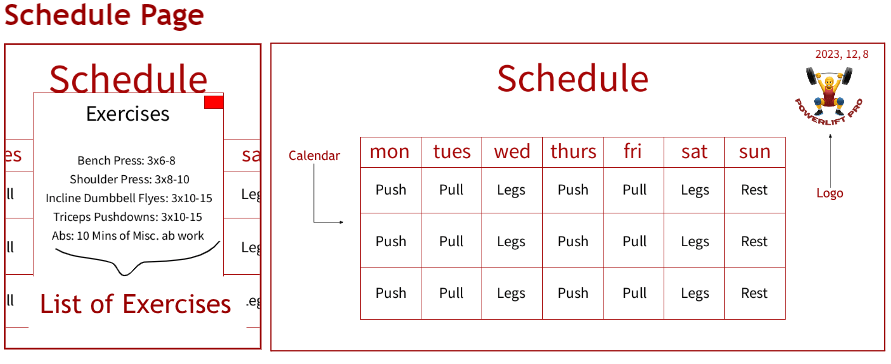
- Upon clicking a specific day on the schedule, a new smaller window will appear and display specific exercises that the user will complete on said day
- Theme Changer
- Want to change the color theme of PowerLift Pro? No worries, because you can change the theme using a separate GUI window with RGB sliders.
My Role
My responsibilities mainly covered the creating a user profile and editing a user profile features. One of my teammates worked on the Leaderboard Section and the other on the Schedule features and smaller (but valuable!) details like Theme Changer. While these may seem like simple tasks, when broken down into smaller subtasks and steps, I’m very impressed we managed to finish within 10 days (roughly 1-2 hours per day)!
Here’s what my tasks looked like over the course of the project with the Target Completion Dates:
* Actual Completion Dates ended up differing at times as some tasks were easier than others. I found the target completion dates in my planner, but couldn’t find the actual completion dates, especially since I sometimes went back to some tasks/features when I had spare time (or inspiration struck) later on.
- By Nov 25th: Type Information on Profile screen
- By Nov 28th: Save profile information
- By Nov 29th: Add Created People to Dropdown
- (context: the dropdown would be used to select which user profile to edit)
- By Dec 1st: Edit Person Information
- By Dec 4th: Make Edited People Appear Leaderboard (worked with teammate in charge of Leaderboard for this)
- By Dec 6th: Comment Code (and clean up anything messy)
- By Dec 8th: Final Submission
Putting It All Together (ft Github VS GUI)
To be honest, the hardest part of this project was merging the code. It was my first time working on a collaborative coding project where everyone was doing an equal amount of coding (I know, I struck gold with my teammates), while ALSO working around the same time each day. For this, we used Git Desktop and GitHub, which I was thankfully already familiar with.
You see, I’m used to working with others on GitHub through HomeworkHub, where I manage their website with the tech team I’m in charge of. However, most of our website changes are general updates that one person does by themselves. There was none of the chaoticness that came with this project. There was no dealing with messy merging resulting from multiple people making several commits in the same day, causing multiple versions of code conflicting with one another.
I am 100% confident things could have gone smoother, but considering it was a first time, it wasn’t too bad. Again, I struck gold with my teammates so there was absolutely no fighting or suppressed frustration throughout the process. Just the annoyed confusion towards the code when changes would commit, resulting in me volunteering to manually merge and resolve conflicts line-by-line ;_;
Of course, a big reason why things were this messy was because the GUI package itself was known to be quite glitchy over commits. We were advised to have only one person in charge of creating the GUI and making direct changes to it’s appearance. Thankfully, we had minimal issues with this- I think. If we did, my teammate was certainly a great sport about it as he handled it quite well.
To put it simply, in the battle between an uncooperative Git and an equally uncooperative GUI, the only ones who lost was us. Of course, this battle lost meant nothing as we won the war and successfully made a great project!
A Stressful—but successful—Conclusion
I distinctly remember the day of the project deadline. There was a lot of desperation, back-and-forth emails, and the strong urge to tear my hair out of my head. In other words, the usual when it comes to coding- and I wouldn’t have it any other way! However, I could’ve done with less stress for sure. What I thought would be just a few finishing touches to my feature ended up being piles and piles of broken and continuously breaking code. Working with the Processing GUI packages was very difficult as it was the first project I ever coded with it on. And I didn’t handle the main management of it!
Furthermore, saving profiles was no joke, and I had to set up a complex file system that was able to both create new files, as well as edit pre-existing files- all while ensuring the GUI dropdown didn’t glitch. The biggest issue was the integration with the Leaderboard. While creating a new person was easily added to the leaderboard, making edits to the profile would not necessarily change the leaderboard. Upon investigation, the file system I had did not integrate properly with the class system my teammate used for the leaderboard. In the end, we tried our best to fix up the bugs and handed it in just before the deadline.
Here’s how things looked like in the Final Product:

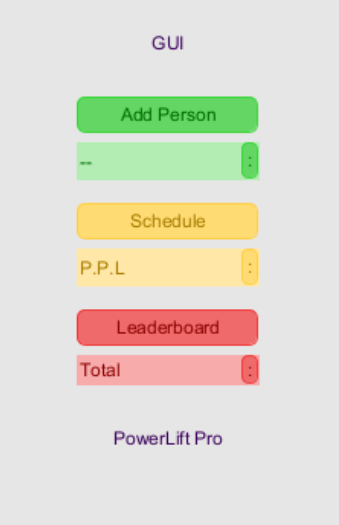
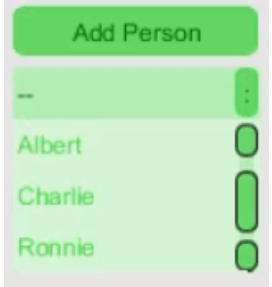
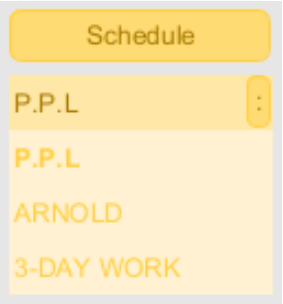
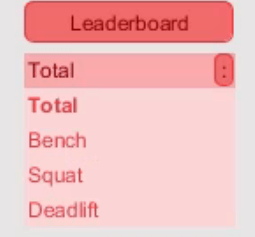
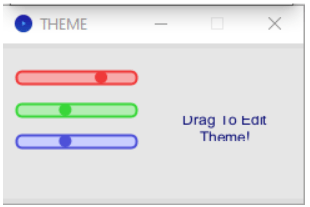
Want to know what happens when you select options from the dropdown?
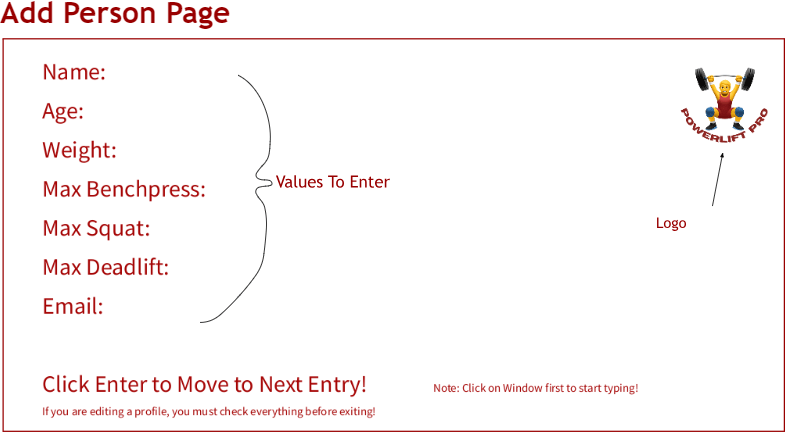
Within the add person page, you are told to first click on the window and then begin typing. Once an entry for one specific area on this page is complete (age), click enter to go down into the next slot. Once all the slots are filled out, said person will be added to the drop-down menu.
If you click on said person you may edit them by deleting and re-entering the values you desire.
Here on the schedule page, you are greeted with a calendar that maps out a workout plan over 3 weeks. Through this, you may click on any day to obtain a set of exercises to perform on said days. Using the GUI, you may change the workout split which will change the days you workout on and the exercises on said day. There is a logo and date displayed in the top right to keep you on track with the time (year, month, date). We advise you to double-click when exiting out of our “Exercises” page.

Within the add leaderboard page, you are greeted with a page of all the people you have previously created. You may order these people based on the varying lift statistics. This leaderboard will bring a competitive feeling to the gym, motivating you to climb to the top and unlock your true potential!
Thoughts for Next Time
Overall, I was very nervous when first starting this project, but it turned out pretty well. The bugs with the integration are ones I handle better next time. I was discussing with my mentor after the submission (aka my mom) and we had an interesting conversation regarding the file system. She said it didn’t make much sense to save the person information both in a Person class and in the file system, and we should’ve stuck to one. Considering the Person class was implemented first and was what we spent more class time focusing on, I recognize the flaw in using the file system. However, I did learn a lot while coding it, and enjoyed the neatness of the file system, so I was somewhat relieved when she told me that a big pro of using files is that it saves the information even once you close the program (hence why I had to add a clear user function for the submission), unlike classes, making it valuable to the industry.
Regarding the collaborative experience, I’m glad I had an overall positive experience even though the Git and GUI definitely could’ve been more cooperative. Oh well. Looking forward to what else to come!
Cheers,
– Kaniesa 😀
 KD Tech Days
Leave a comment